
Product
Simulating Autonomous Drone Flight With the Skydio X2 in MuJoCo
Robots fly too. Drift builds a MuJoCo simulation where the Skydio X2 drone takes off, follows a set of waypoints, and lands autonomously, all from one prompt.
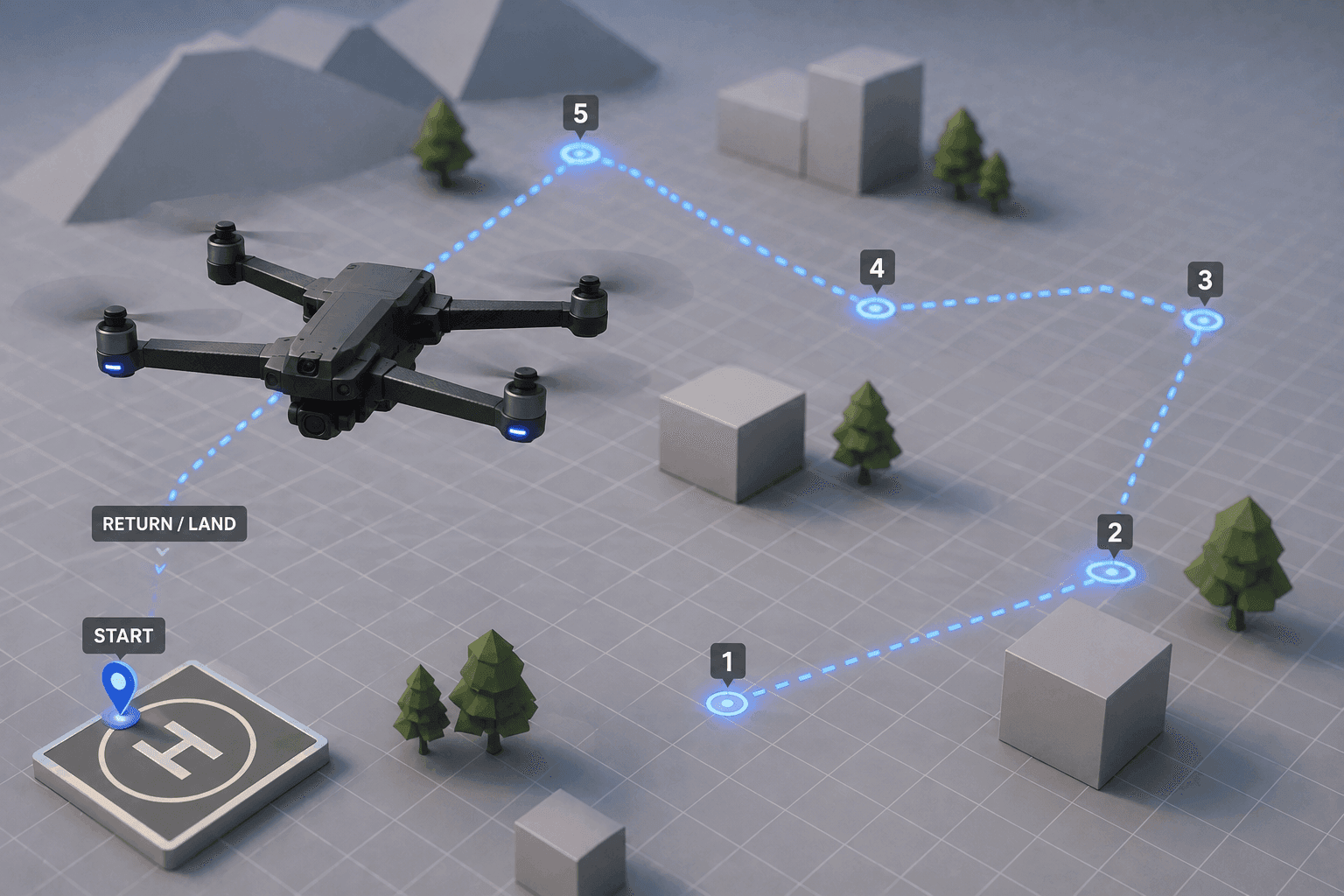
Robots don't have to stay on the ground. The same simulation tools that build ground robots can put a drone in the air and fly it on its own.
This walkthrough moves into the air, building an autonomous drone flight in MuJoCo with the Skydio X2, a real quadcopter, and letting Drift generate the whole takeoff-to-landing sequence from one prompt. It's the same simulation workflow used for ground robots and manipulators, pointed upward.
Why drone flight belongs in a physics simulator?
Flying a real drone to test new behaviour is risky and expensive. A crash can destroy the hardware, and every failed attempt costs time and battery. Simulation removes that cost, so you can try a flight path a hundred times, break it safely, and refine it before anything leaves the ground.
Drones are also a natural fit for a physics engine, because flight is all about dynamics: thrust, gravity, momentum, and how the aircraft responds to its own control inputs. MuJoCo simulates exactly those physics, and it ships with community models for aerial vehicles, which is what makes a realistic drone simulation possible without building the aircraft from scratch.
Meet the Skydio X2 drone
The Skydio X2 is a compact autonomous quadcopter made by the American company Skydio, known for AI-driven flight and 360-degree obstacle avoidance that lets it navigate without GPS. It's used for enterprise inspection, public safety, and defense, exactly the kind of missions where a drone has to fly itself reliably.
For simulation, the useful detail is that there's an official Skydio X2 model in the MuJoCo Menagerie, provided by Skydio itself. That means the flight in this walkthrough runs on a realistic, community-standard model of a real drone, not a rough stand-in.
What we asked Drift to build?
After creating a new Drift project, we described the flight in a single prompt: create a MuJoCo simulation where the Skydio X2 autonomously flies through a sequence of predefined waypoints and returns to its starting position.
The prompt describes the mission, take off, hit a series of waypoints, come home, rather than the low-level control math to achieve it. That's the point of task-level prompting: you specify the flight you want and let Drift generate the simulation and control to fly it. (New to the simulator? Here's how to install MuJoCo in one prompt first.)
Watching the drone fly the waypoint course
We launch the simulation by running the generated Python file, and the flight plays out on its own. The drone lifts off, climbs to its target height, and begins following the programmed path from waypoint to waypoint, then returns to its starting position for landing.
Everything runs autonomously from takeoff to touchdown. There's no manual piloting: the drone holds its altitude, tracks each waypoint in sequence, and comes home without intervention. Watching a clean waypoint flight is the clearest way to confirm the basic control loop works before you add anything harder on top.
Where autonomous drone flight goes from here?
A waypoint loop is where autonomous flight begins. Everything more advanced builds on a drone that can already fly a known path reliably, so a clean trajectory like this one is the groundwork for the rest.
From here you can work toward obstacle avoidance, so the drone reroutes around things in its way, visual navigation using its cameras instead of fixed coordinates, and fully autonomous missions that string many behaviors together. With Drift generating the simulation, you can move straight to those problems instead of setting up the aircraft and its controller by hand. Change the waypoints, raise the altitude, or tighten the path and see how the flight holds up. The full walkthrough is in the video above.
FAQ
- Can you simulate a drone in MuJoCo? Yes. MuJoCo simulates the flight dynamics of aerial vehicles, and its community model collection includes drones such as the Skydio X2. That makes it possible to build a realistic autonomous flight simulation, from takeoff through a waypoint path to landing, without modeling the aircraft from scratch.
- What is the Skydio X2? The Skydio X2 is a compact autonomous quadcopter from Skydio, an American drone company. It's known for AI-driven flight and 360-degree obstacle avoidance that let it operate without GPS, and it's used for inspection, public safety, and defense. An official model of it is available in the MuJoCo Menagerie.
- What is waypoint navigation for a drone? Waypoint navigation is flying through a predefined sequence of positions in order. The drone takes off, travels to each waypoint in turn, and can return to its start. It's the foundational form of autonomous flight and the basis for more complex missions.
- Why simulate drone flight instead of testing on real hardware? Testing real drones is costly and risky, since a crash can destroy the aircraft. Simulation lets you develop and fail safely and cheaply, running a flight path many times and refining the control before flying real hardware.
- How does Drift build the drone simulation? Drift takes a single natural-language prompt describing the flight, then generates the MuJoCo simulation and the control needed for the Skydio X2 to take off, follow the waypoints, and land autonomously, so you can launch it and watch the full flight without hand-coding the setup.


